Chat Transfers
SCC-AC supports transferring contacts to another agent or to another queue via the Amazon Connect quick connect feature, and the transfer button in the Omni-Channel enhanced messaging component. Please refer to the Amazon Connect documentation for information on how to create quick connects and assign them to queues so they are visible to agents.
For SCC-AC, ensure that the transfer flow used for agent quick connects (for directly transferring to a specific agent) is SCCAC - Sample Agent Transfer Flow - {ContactCenterId}. For queue quick connects (for transferring to a queue), the transfer flow should be SCCAC - Sample Queue Transfer Flow - {ContactCenterId}. It’s possible to customize the contents of these contact flows, as long as the Execute routing function block — the Invoke AWS Lambda block that invokes SCCAC-RoutingFunction with the routingType parameter set to Transfer — is retained, still runs before the Transfer to queue block that performs the transfer, and the contact attributes it depends on (in particular conversationIdentifier) are not removed or overwritten. This block does not have to be the first block in the flow: in the flows provisioned by SCC-AC it is preceded by a Set logging behavior block, and the pattern recommended below places a Check staffing block before it.
Transfer contact flow configuration
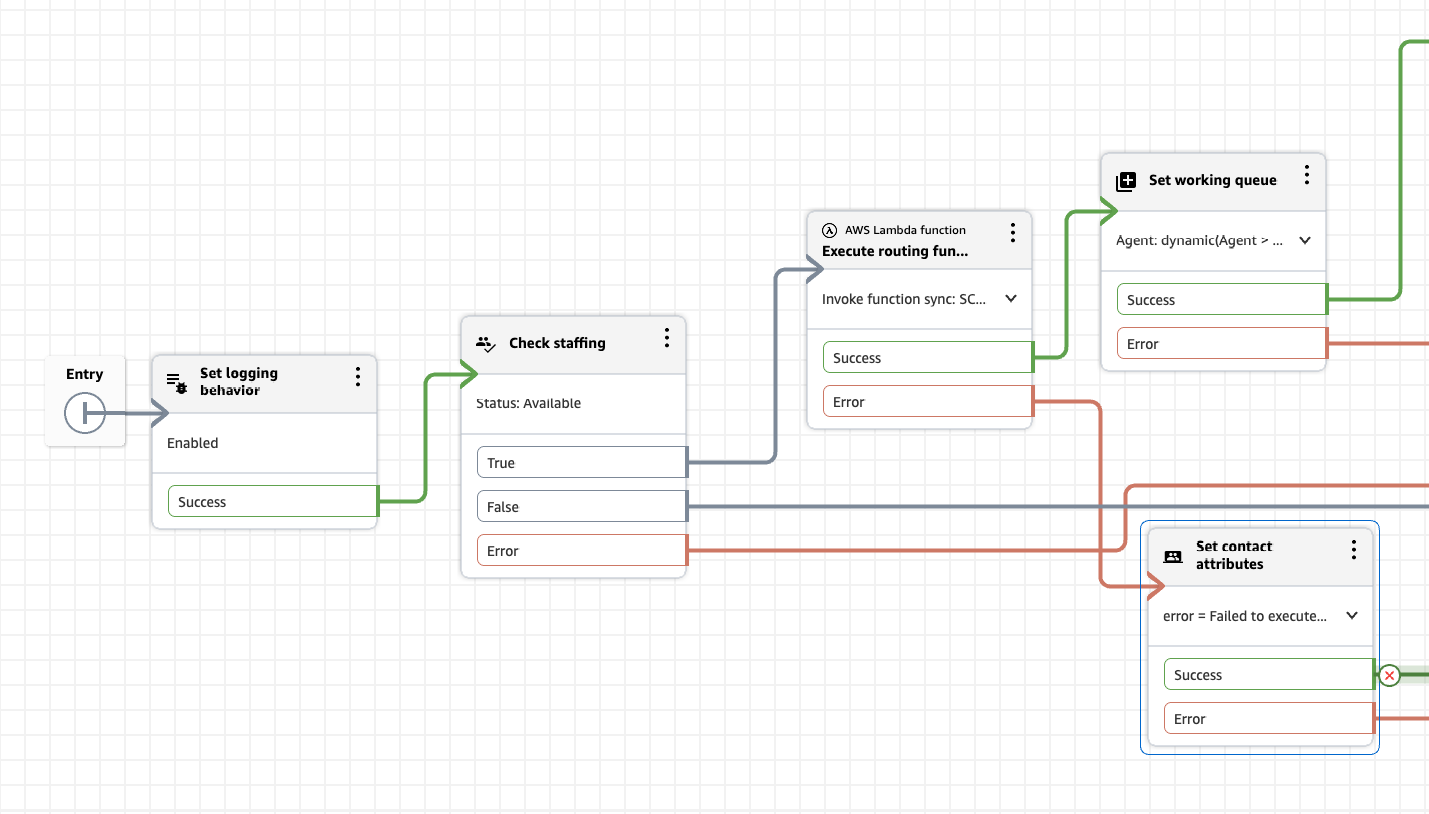
To prevent the agent from being removed from the Salesforce Messaging Session when a transfer fails, we recommend adding a Check staffing block before the SCCAC-RoutingFunction invocation in your transfer contact flows. The following example shows this pattern:
Queue transfer
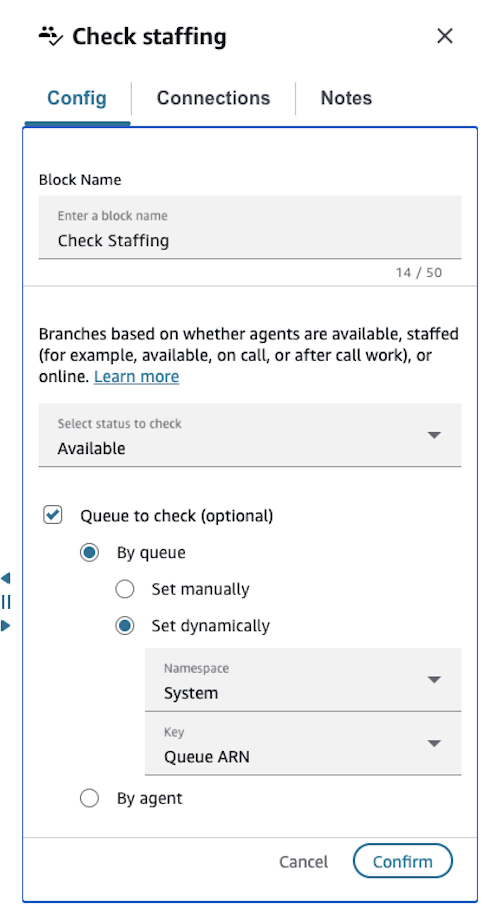
Add a Check staffing block before the SCCAC-RoutingFunction lambda invocation in your queue transfer flow with the following configuration
- Status to check: Available
- Queue to check: By queue → Set dynamically → Namespace:
System, Key:Queue ARN
In the True branch (agents are available), connect to the SCCAC-RoutingFunction Lambda block, then to the Transfer to queue block. In the False branch (no agents available), connect to an appropriate fallback such as transferring to a fallback queue, or ending the contact gracefully.
Limitations
- Queue capacity: The Check Staffing block verifies that agents are available, but does not account for queue capacity limits. If the destination queue has reached its maximum number of queued contacts, the transfer may still fail even when Check Staffing returns True. Ensure that your destination queues are appropriately sized for your expected contact volume, and consider increasing queue capacity limits via an Amazon Connect service quota increase if needed.
Agent transfer
Add a Check staffing block before the SCCAC-RoutingFunction lambda invocation with the following configuration:
- Status to check: Available
- Queue to check: By agent → Set dynamically → Namespace:
Agent, Key:ARN
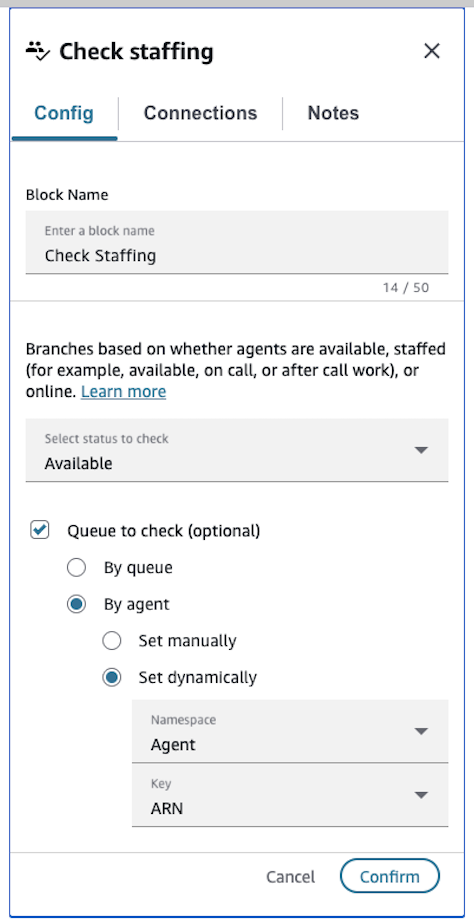
This checks the target agent's availability before invoking SCCAC-RoutingFunction, preventing the agent from being removed from the Salesforce Messaging Session when the target agent is unavailable.